Financial Visibility
Automated billing, consolidated ledgers, and a month-end close that finishes when the month does. Leadership sees current numbers rather than last period's.

We help US organizations bring finance, inventory, sales, purchasing, and project accounting onto one cloud platform. We start by understanding how your teams work today — spreadsheets, disconnected systems, or an aging on-premises ERP — then design a path into Business Central that fits your processes rather than replacing them wholesale.
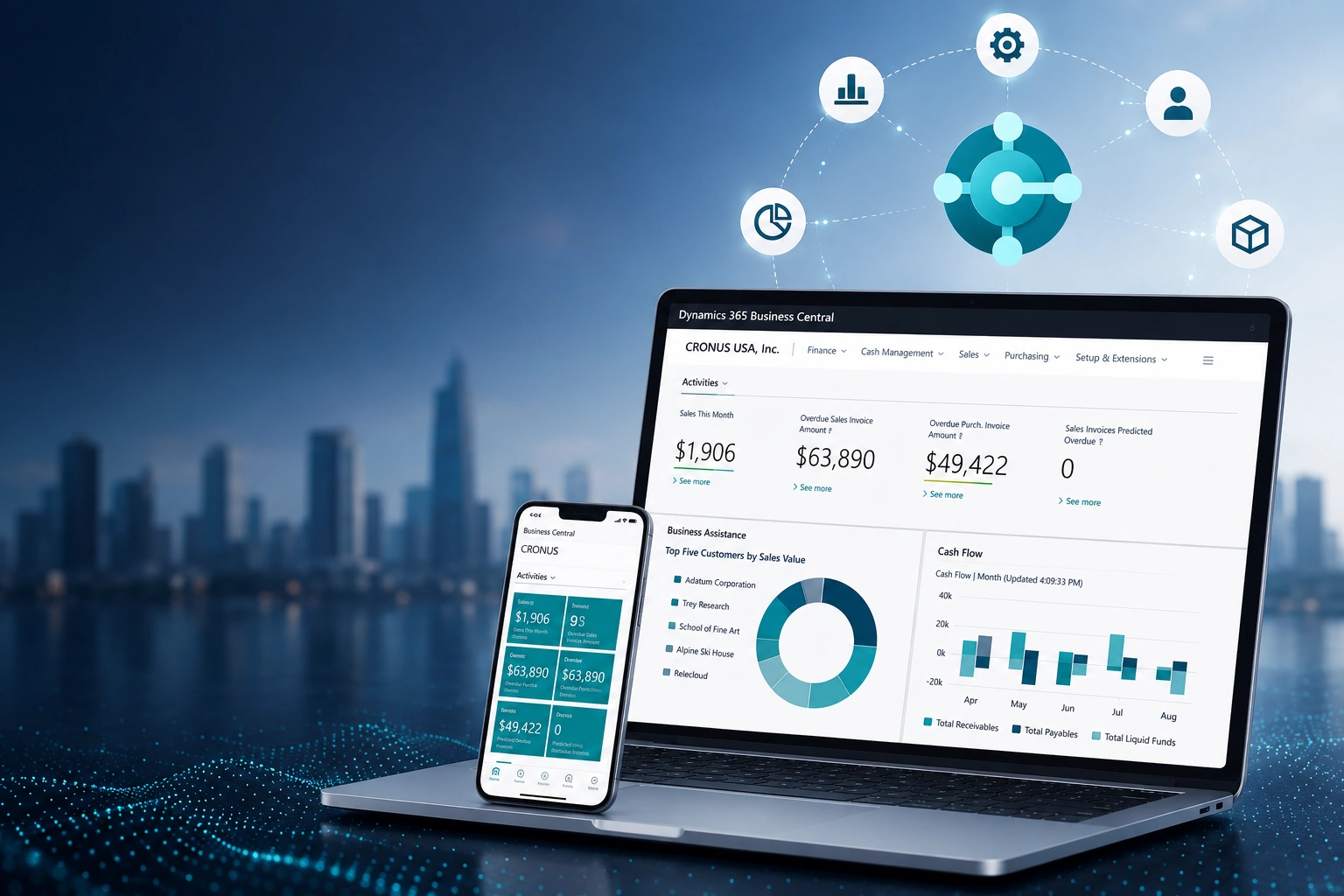
Business Central unifies financials, inventory, sales, purchasing, and project accounting in one secure cloud system. The value isn't the module list — it's what stops happening once everything shares the same data: the reconciliations, the version conflicts, the reports that are already out of date when they land.
Automated billing, consolidated ledgers, and a month-end close that finishes when the month does. Leadership sees current numbers rather than last period's.
Inventory tracking and demand forecasting connected to purchasing and sales, so stock decisions are made on live positions instead of last week's count.
Costing and scheduling in the same system as the ledger, so project profitability is visible while the work is running — not discovered at invoice.
Your team keeps working in Outlook, Excel, Teams, and Power BI. Business Central sits behind those tools rather than adding another one to learn — which is usually the difference between an ERP that gets adopted and one that gets worked around.
Most organizations come to us after outgrowing an entry-level accounting package or an on-premises system that can no longer keep up. We phase the move so the business keeps running throughout, and so you're live in months rather than quarters.
We examine your current ERP or accounting system — Dynamics NAV, GP, QuickBooks, or another platform — along with data quality, custom reports, and the integrations your teams depend on daily.
We define the target Business Central setup, the data migration strategy, and a realistic timeline. That includes the practical decisions: which license tier fits, and whether cloud or hybrid deployment makes sense for your operation.
We clean and map your financial, customer, and inventory data. Every legacy customization gets a deliberate decision — migrate, modernize, or retire — because each one you carry forward is something you maintain for years.
We configure Business Central, run migrations until data and integrations validate cleanly, and train your users before cutover. By go-live your team already knows the system rather than meeting it that morning.
Moving off Dynamics NAV, GP, or an older on-premises system? We'll assess what you're running and map the path into Business Central.
Book a Free ConsultationHeavy customization is what turned your last ERP into something you couldn't upgrade. We extend Business Central using the modern AL framework and Power Platform, so the system fits your workflows and still takes Microsoft's releases without a project attached.
A Power App that automates quote approvals, a Power BI dashboard your managers check from the floor, or a custom extension for a workflow the base product doesn't cover — built so updates stay clean.
CRM data from Dynamics 365 Sales, e-commerce orders, and collaboration in Teams — connected so sales sees real inventory, finance sees orders as they land, and nobody re-keys anything.
Role-based permissions in Business Central and multi-factor authentication through Microsoft Entra ID, set up so the right people reach the right records without another password problem.
Microsoft ships updates to Business Central continuously, and your business changes alongside them. Ongoing support is what keeps the two in step — so the system you go live with keeps improving instead of slowly drifting out of date.
Regular check-ups and performance tuning so speed and reliability hold as data volumes grow.
Permissions and access revisited as roles change, so entitlements don't quietly accumulate.
Power Automate flows and Copilot capabilities introduced where they remove real manual effort.
We track what changed — hours saved, cash cycle, close time — and use it to pick what to improve next.
A customization that broke on an update, a data issue nobody can trace, an implementation that stalled short of what was promised — we take on environments we didn't build. We stabilize the system first, then work out what should be fixed, rebuilt, or removed.
Business Central rarely stands alone. It touches Microsoft 365, Power BI, CRM data, and increasingly Copilot. We work across all of it, so the connections between systems are designed rather than improvised after the fact.
Business Central, Microsoft 365, Azure, Power Platform, and Data & AI under one roof — so integration isn't handed to a second vendor.
We map how your business actually runs before deciding what the system should do. You'll hear us say a customization isn't worth building when it isn't.
Extensions built on the AL framework and integrations documented for whoever maintains them next. Nothing we deliver should block a Microsoft release.
Assessment, migration, configuration, training, and support stay with one team — so context doesn't get lost in a handover between phases.
Deep Microsoft technology experience across business applications and digital transformation initiatives.
Experience supporting organizations through Microsoft implementation, migration, and modernization initiatives.
Microsoft-recognized capabilities across Business Applications, Data & AI, Infrastructure, Digital & App Innovation, Modern Work, and Security.
Our US presence is supported by global Microsoft delivery capabilities, giving US organizations access to broader technical expertise.
Tell us what you're running today, where the manual work piles up, and what you need the next system to handle. We'll assess your environment and map a practical route into Business Central.
